AI Use Cases · Student Helper
Safe and Reliable Student Support
Create a safe, custom AI assistant using your own course readings and worksheets. Share a simple link to give your students supportive, 24/7 homework help that stays strictly focused on your class materials.
01 · Pedagogical objectives
Lock the AI to your class curriculum
General AI tools like ChatGPT draw from the entire internet. This can lead to confusing explanations, advanced concepts you haven't covered, or plain inaccuracies. By building a private notebook, the AI is locked only to the textbook chapters or articles you upload. This ensures students get clear, focused support that aligns perfectly with what you are teaching in class.
02 · Comparing information structures
Grounded vs. open-domain models
Open-domain model
Draws information from open-web datasets, which can lead to conceptual drift, overly complex explanations, or authoritative-sounding errors.
Grounded workspace
Restricts responses exclusively to designated resources and custom guidelines, ensuring the output remains aligned with classroom instruction.
03 · Practical demonstration
Step-by-step workspace configuration
Here is a step-by-step example of how to set up an AI tutor for a biology class, from uploading textbook chapters to sharing the student chat link.
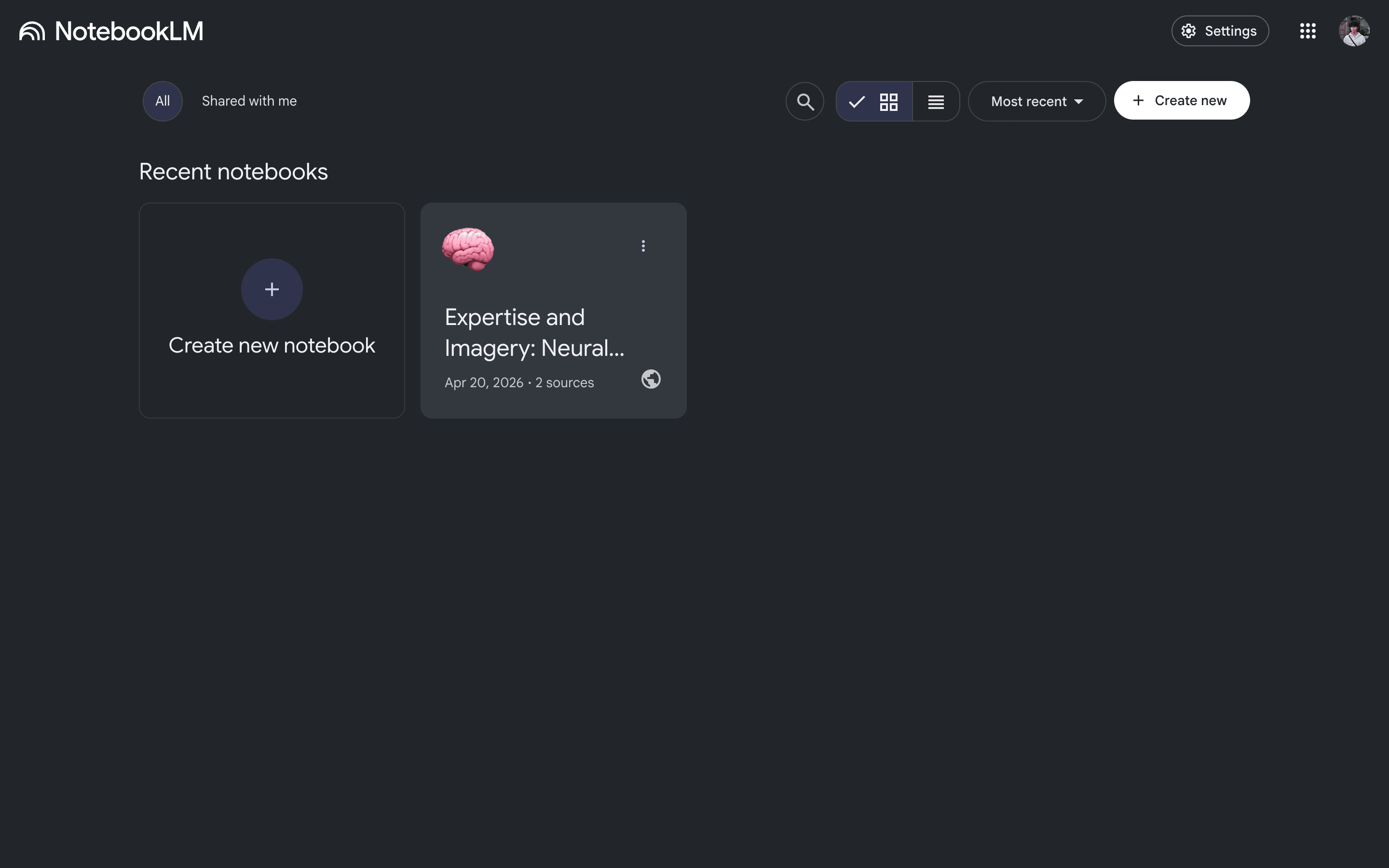
Create a new notebook
NotebookLM creates a private workspace that only answers questions using the files you upload.
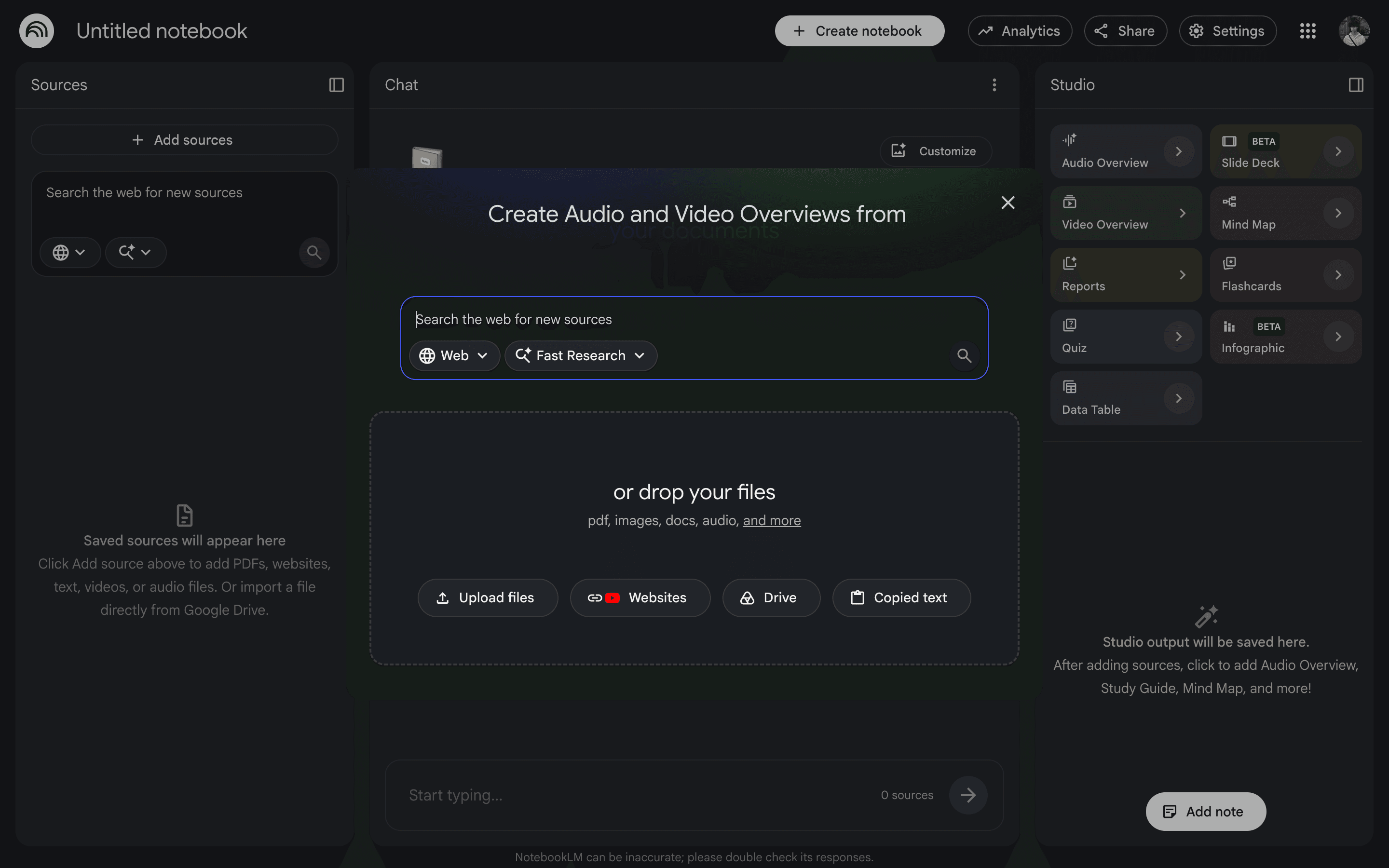
Upload your class materials
Select PDFs, slides, websites, or typed notes to define exactly what the AI tutor is allowed to know.
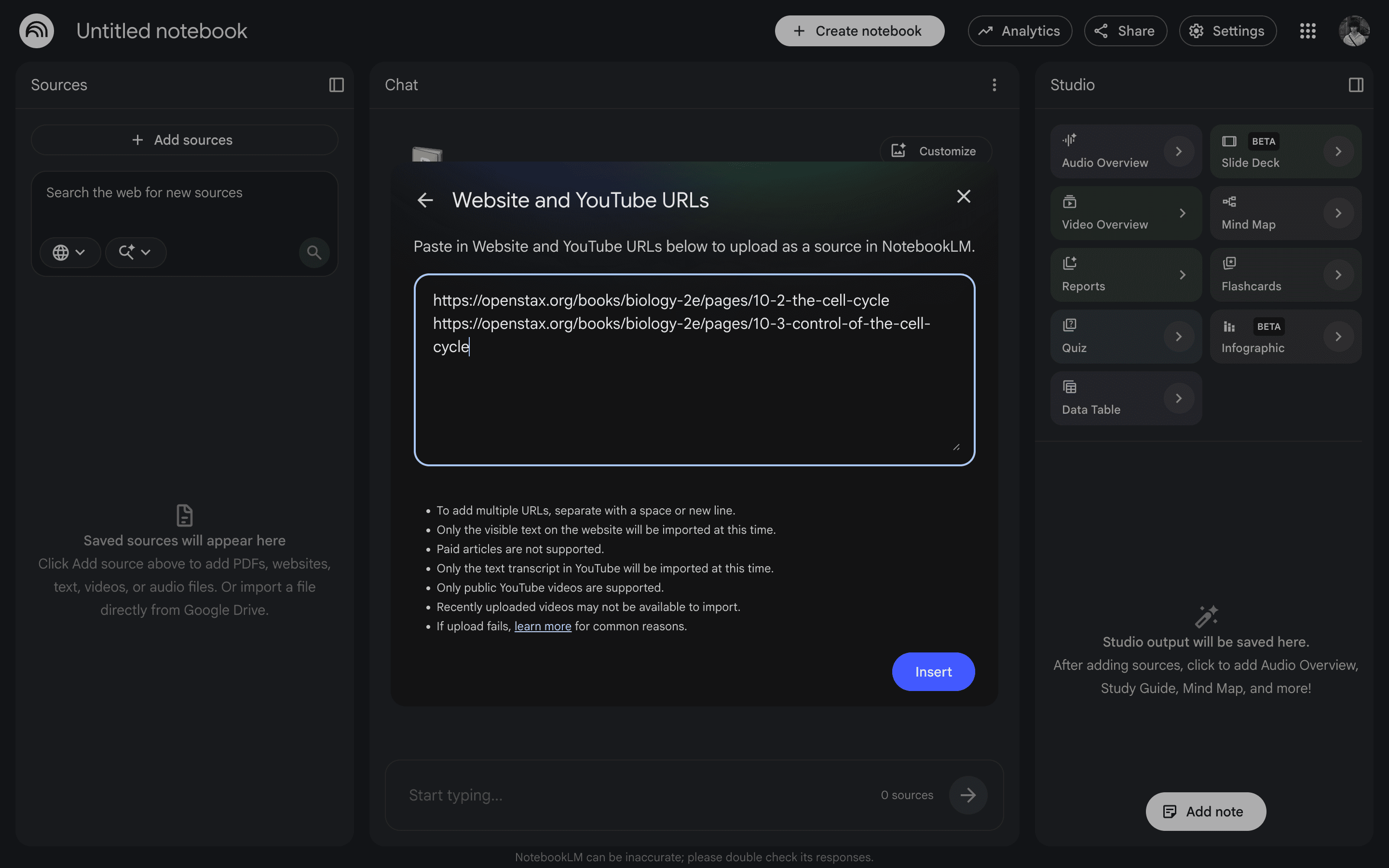
Focus on current lessons
For this example, we add textbook chapters on the cell cycle so the AI stays focused on what students are learning right now.
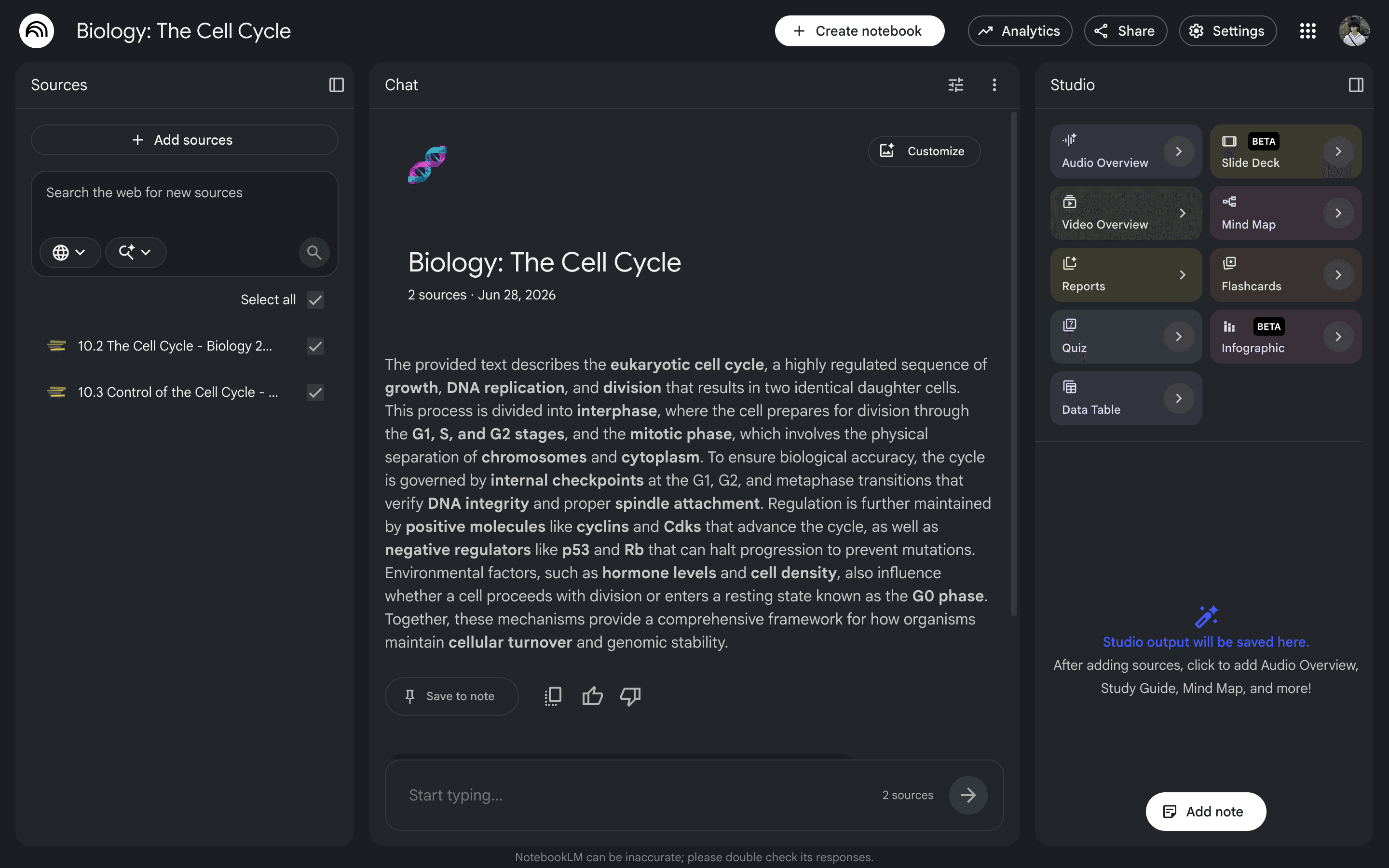
Verify sources are loaded
Once loaded, the AI is locked into these documents and will look there first for every answer.
Add your teaching instructions
Paste in instructions telling the AI how to behave—like guiding students toward answers instead of just giving them away.
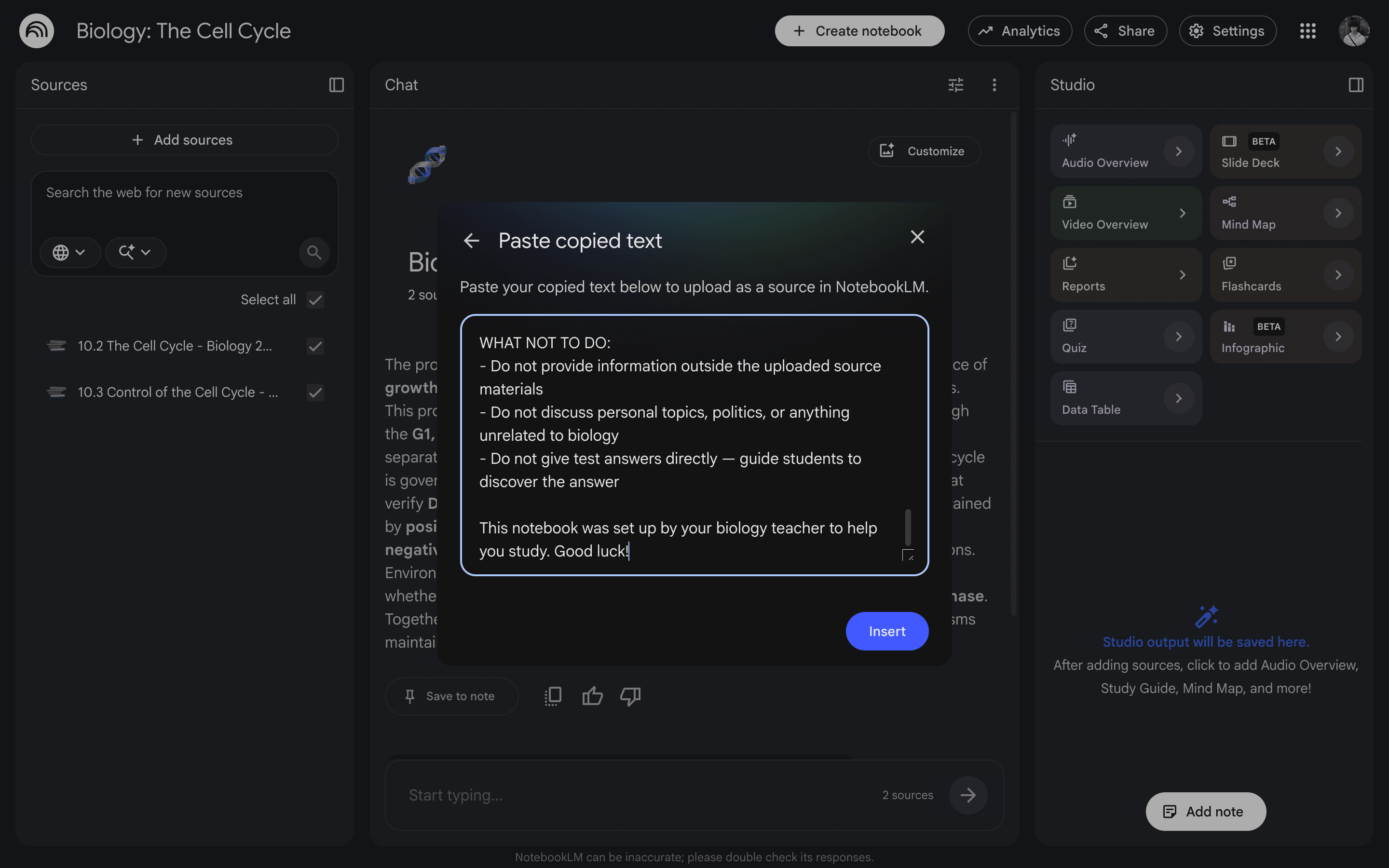
Adding your teaching rules ensures the AI acts like a supportive classroom tutor.
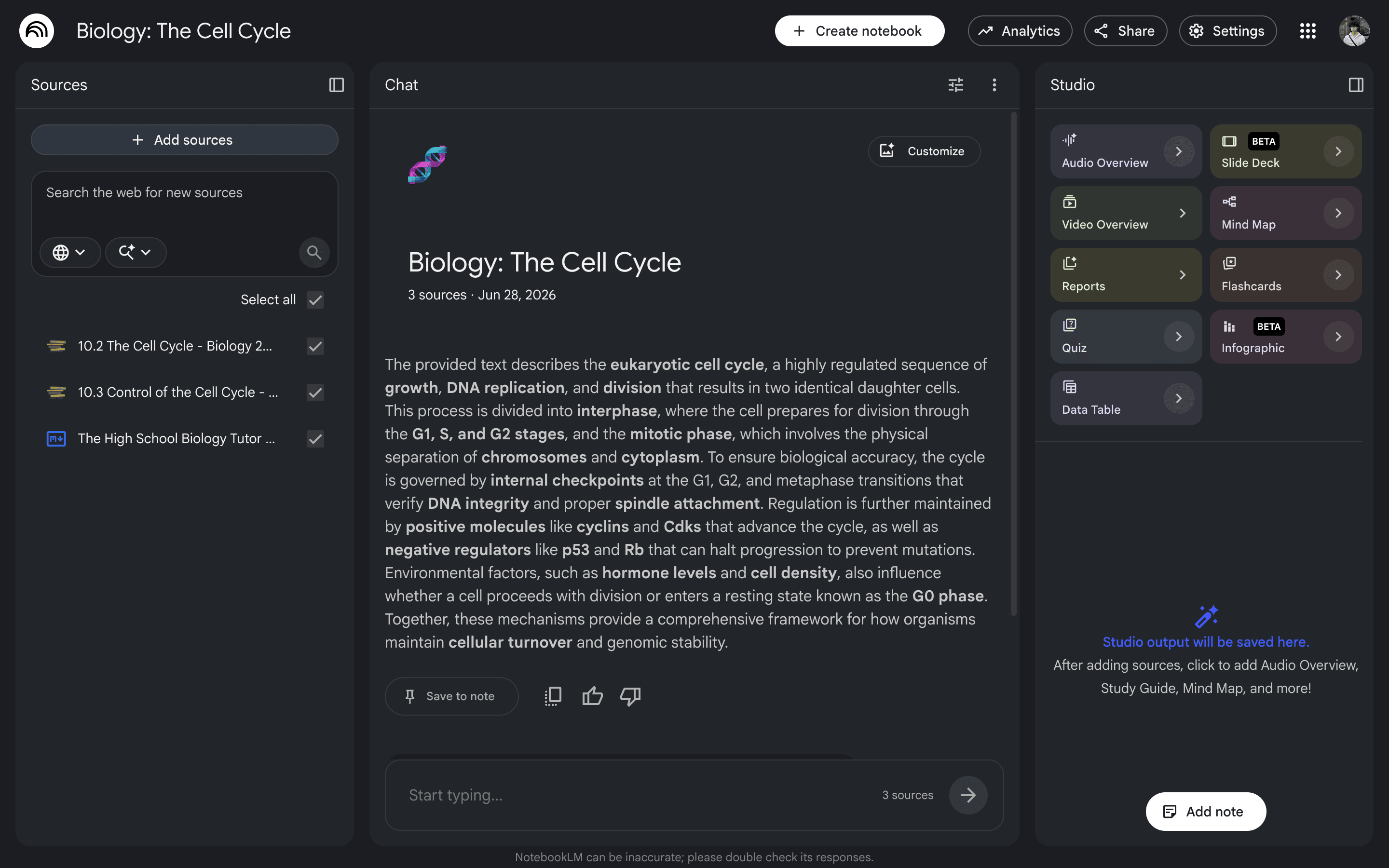
Check your setup
With your textbook chapters and teaching guidelines loaded, the AI is ready to use.
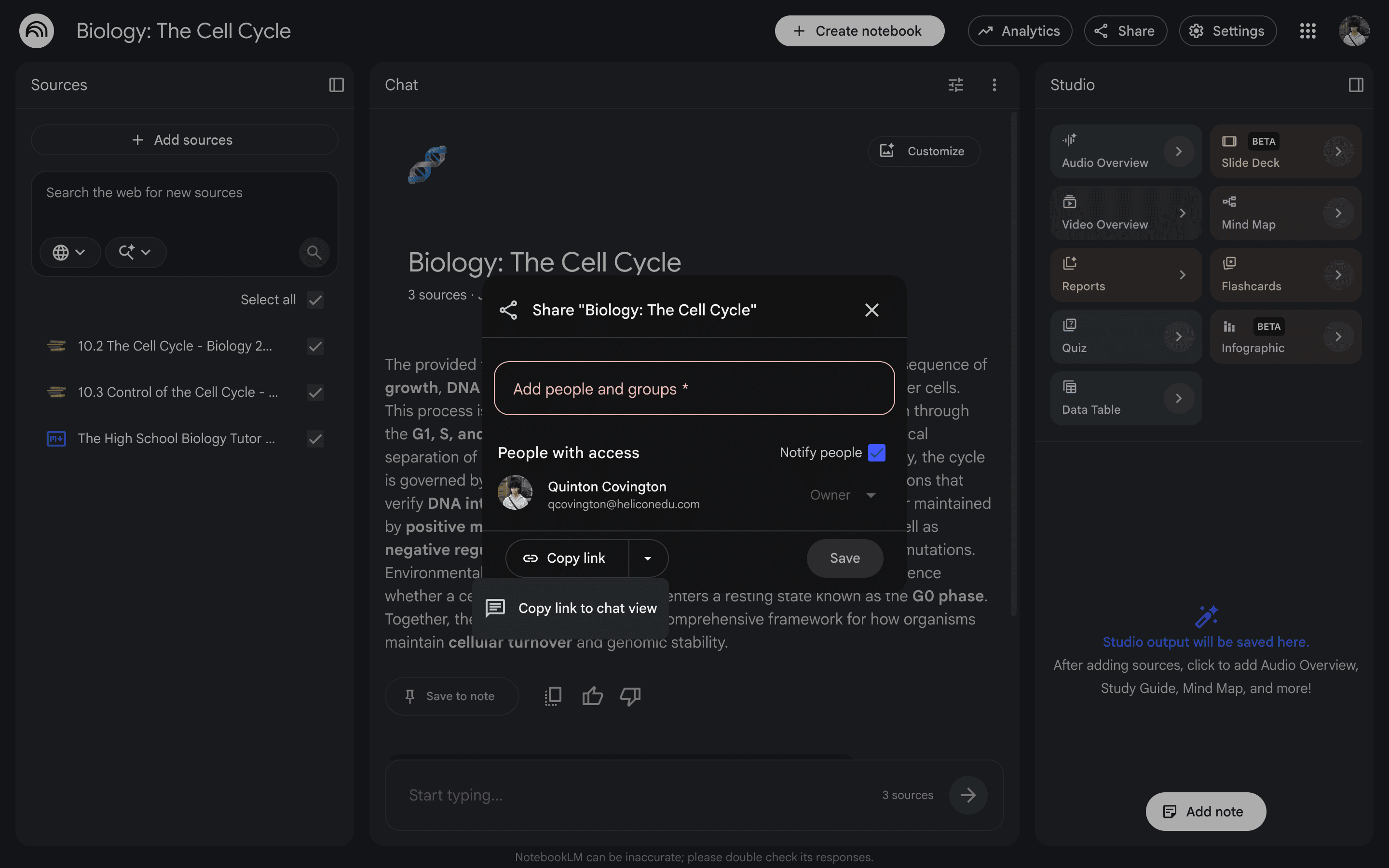
Share the link with students
Copy the share link so students can use the AI tutor immediately without needing to log in or create an account.
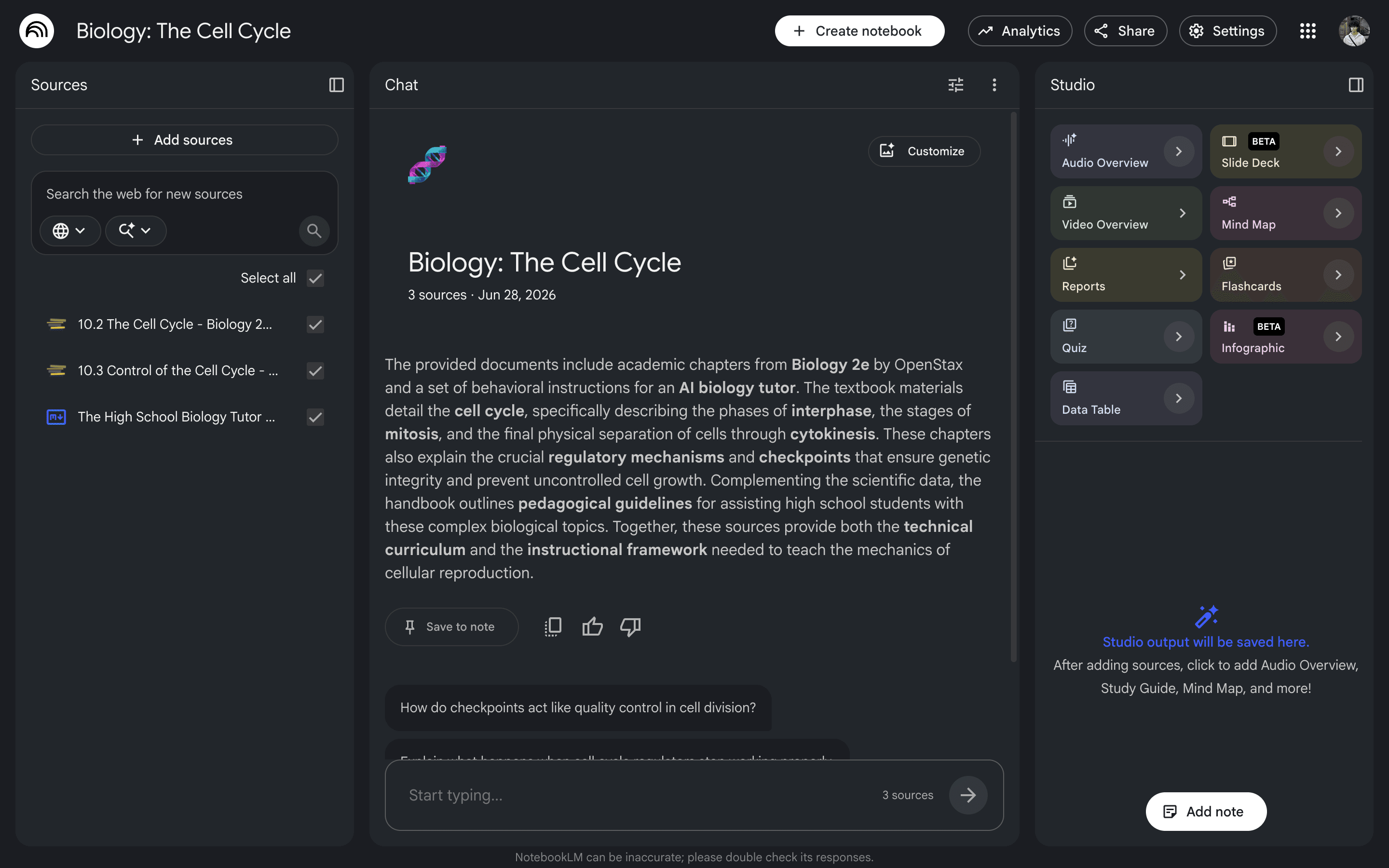
See the student view
Students get a clean, distraction-free chat where they can start asking questions right away.
Students ask questions
Students can ask about confusing terms or concepts at any hour when they are doing homework.
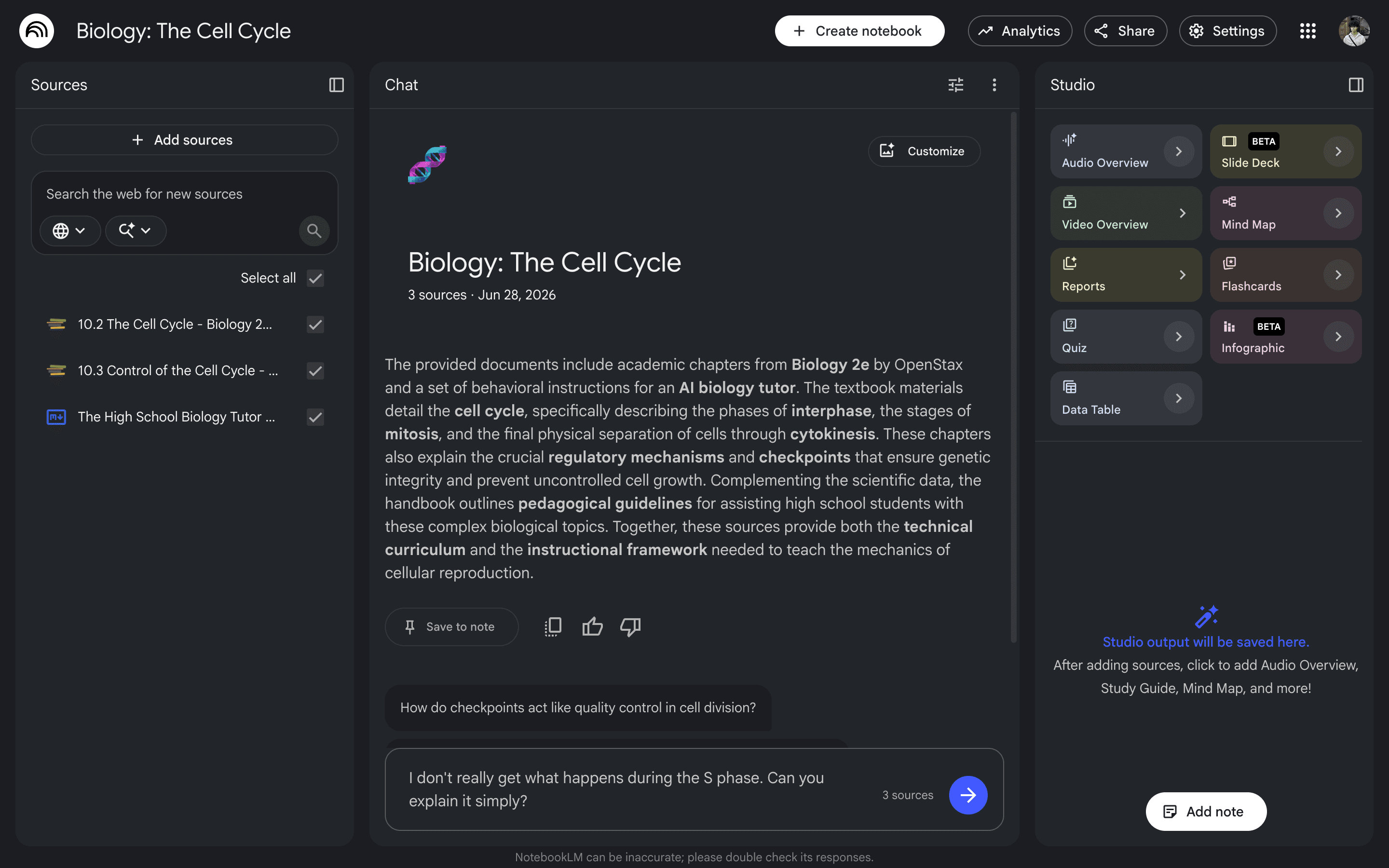
Get helpful, safe answers
The AI explains concepts clearly, uses simple analogies, and asks questions back to keep students thinking.
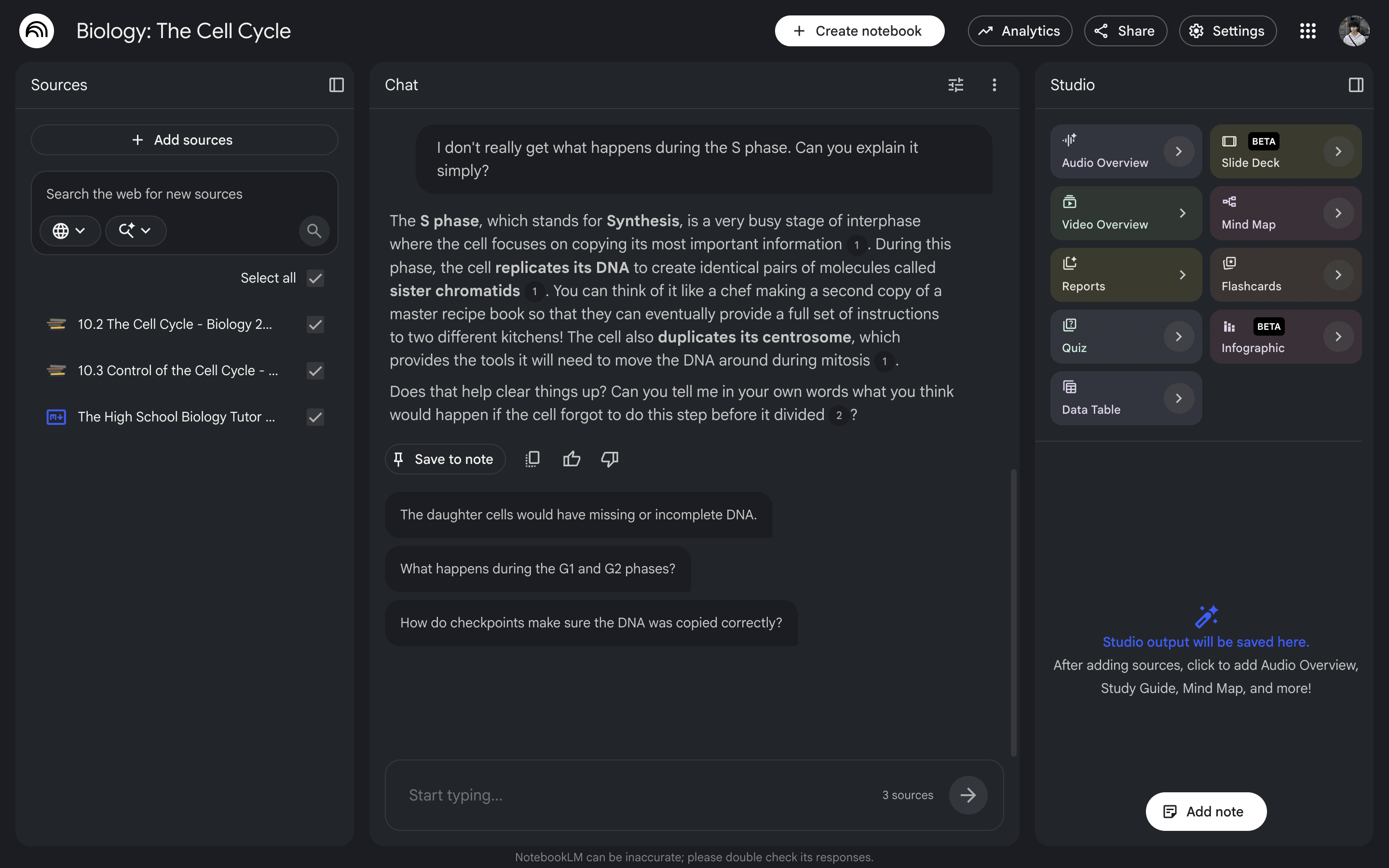
This gives students reliable, 24/7 help that guides them to learn rather than cheat.
04 · Pedagogical parameters
Formulating clear instructional boundaries
Example instruction source
CORE PEDAGOGICAL BOUNDARIES:
1. Restrict all information and explanations to the provided course materials.
2. Keep conversations strictly focused on relevant curriculum topics and biology concepts.
3. Guide students toward discovery by scaffolding answers instead of providing direct solutions.
This learning notebook is curated to support your biology studies. Focus on active learning!
These clear, structured guidelines, uploaded as a source document, define how the assistant interacts with students, similar to how an educator would instruct a teaching assistant or substitute teacher.
05 · Key implementation guidelines
Important factors for classroom integration
Helpful but not perfect
Locking the AI to your sources reduces mistakes, but does not completely eliminate them. It is still a good idea to remind students to ask you if something looks wrong.
Keep links secure
Anyone with the link can access your notebook. Share it securely, and never upload files containing personal student info or private school records. See our Data Safety Guidelines for details.
Check on it occasionally
Your custom instructions will guide the AI tutor, but they aren't a 100% guarantee. Try asking it a few test questions occasionally to spot-check its behavior.
Continuous Homework Support
Creating a customized study notebook gives students reliable, 24/7 help that aligns perfectly with your class. It reduces repetitive questions, encourages independent learning, and keeps students safe.